
Trassir Surveillance Camera1.0.7 - Google Play
You'll be able to see results in few seconds.
Publisher Description


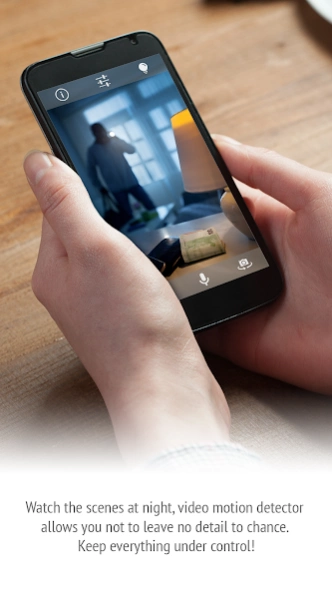
You can turn any smartphone or tablet into the surveillance system.
How to live every day with confidence knowing that everything is under control and secure?
Right now any your gadget (mobile, tablet, PC, laptop) is able to turn into a real Surveillance Camera and allow you to control the situation, unravel the misteries and store all the best moments of your life!
With the TRASSIR Cam app you won`t miss your important points wherever you are!
Download the TRASSIR Cam app, sign in using your Google Account and use your gadget like a regular IP Surveillance Camera.
View the happenings (your home, your loved ones, your pets) through your browser or mobile app in a real-time from around the world.
Use the TRASSIR Cam app instead of expensive home security systems and IP Cameras.
No need to buy any additional equipment, No need to pull the wires around the house.
Now It`s easy to know that your car is under control and your family are safe. It`s great, isn`t It?
You don`t need to worry about losing the videodata on the device - everything is on the Cloud Storage.
10 more reasons to install the TRASSIR Cam app right now:
- Easy registration and access - you need only your Google Account
- TRASSIR Cam app is Ad free
- HD recording
- Records video and audio from the main or front camera;
- Runs in the background when it is minimized;
- Starts broadcasting when you run app or restart device;
- Uses a flashlight as illumination;
- Adjusts the autofocus if supported by the camera device;
- Uses built-in motion detector.
About Trassir Surveillance Camera
The company that develops Trassir Surveillance Camera is TRASSIR Ltd. The latest version released by its developer is 1.0.7.
To install Trassir Surveillance Camera on your Android device, just click the green Continue To App button above to start the installation process. The app is listed on our website since 2018-07-12 and was downloaded 0 times. We have already checked if the download link is safe, however for your own protection we recommend that you scan the downloaded app with your antivirus. Your antivirus may detect the Trassir Surveillance Camera as malware as malware if the download link to com.trassir.cloud.cam is broken.
How to install Trassir Surveillance Camera on your Android device:
- Click on the Continue To App button on our website. This will redirect you to Google Play.
- Once the Trassir Surveillance Camera is shown in the Google Play listing of your Android device, you can start its download and installation. Tap on the Install button located below the search bar and to the right of the app icon.
- A pop-up window with the permissions required by Trassir Surveillance Camera will be shown. Click on Accept to continue the process.
- Trassir Surveillance Camera will be downloaded onto your device, displaying a progress. Once the download completes, the installation will start and you'll get a notification after the installation is finished.
Program Details
System requirements
Download information
Pricing
Version History
version 1.0.7
posted on 2018-07-12
* translate to Turkish language
version 1.0.6
posted on 2017-10-19
* chinese translation
version
posted on 2016-12-29
Disclaimer
Official Google Play Link
We do not host Trassir Surveillance Camera on our servers. We did not scan it for viruses, adware, spyware or other type of malware. This app is hosted by Google and passed their terms and conditions to be listed there. We recommend caution when installing it.
The Google Play link for Trassir Surveillance Camera is provided to you by apps112.com without any warranties, representations or guarantees of any kind, so access it at your own risk.
If you have questions regarding this particular app contact the publisher directly. For questions about the functionalities of apps112.com contact us.
